Asset Timeline
CASE STUDY
OCT 2026
OCT 2026
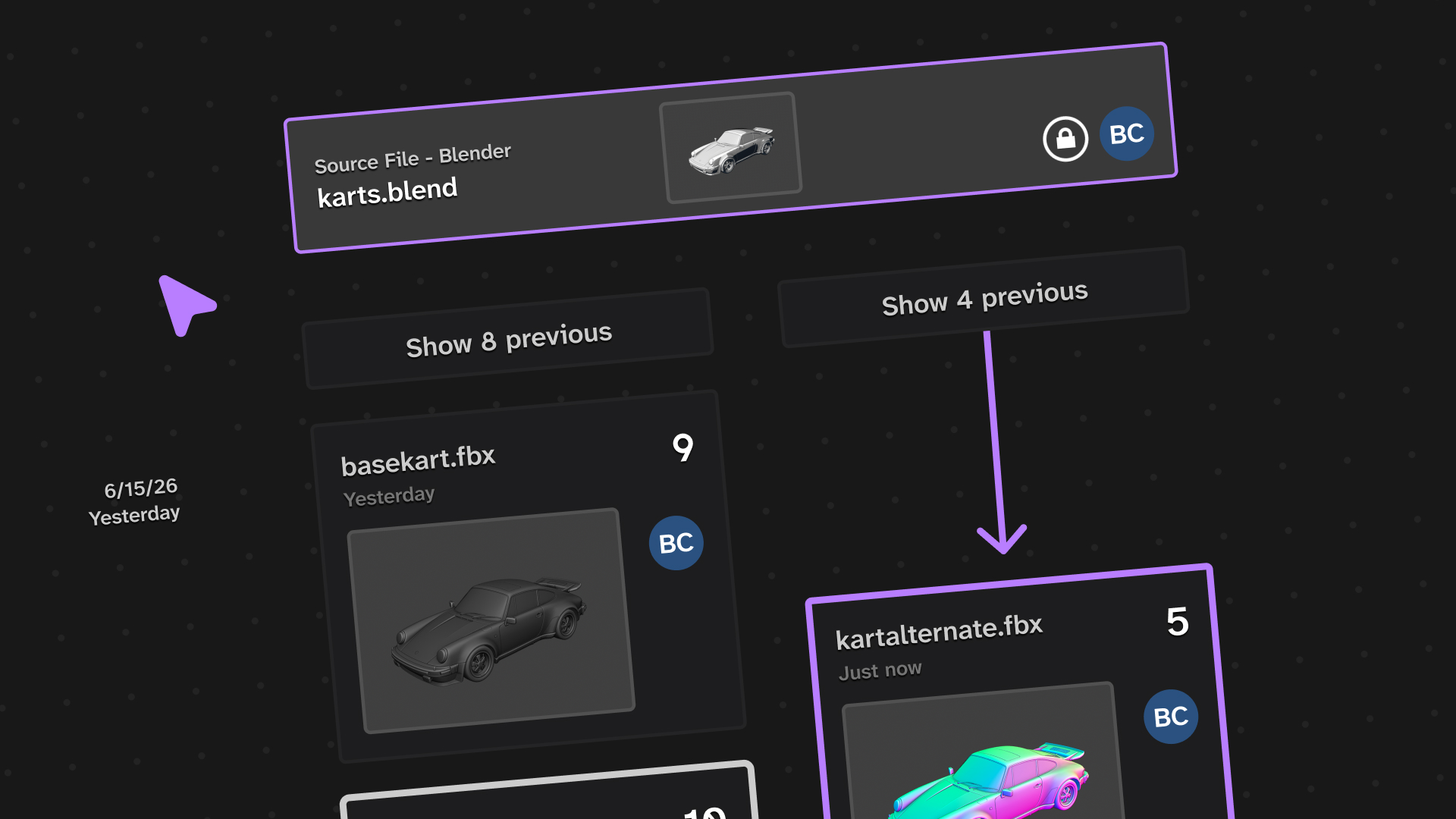
This is Asset Timeline, a new flow for managing art assets for game engines, designed for large teams of artists who want greater control over tracking their creative processes over time.
This case study was very directly inspired by my personal experience in using game engines and a variety of art software, and finding the repeated pain point of having to juggle different file types, huge commit sizes, and sharing files with other artists while keeping them in version control.
This case study was very directly inspired by my personal experience in using game engines and a variety of art software, and finding the repeated pain point of having to juggle different file types, huge commit sizes, and sharing files with other artists while keeping them in version control.
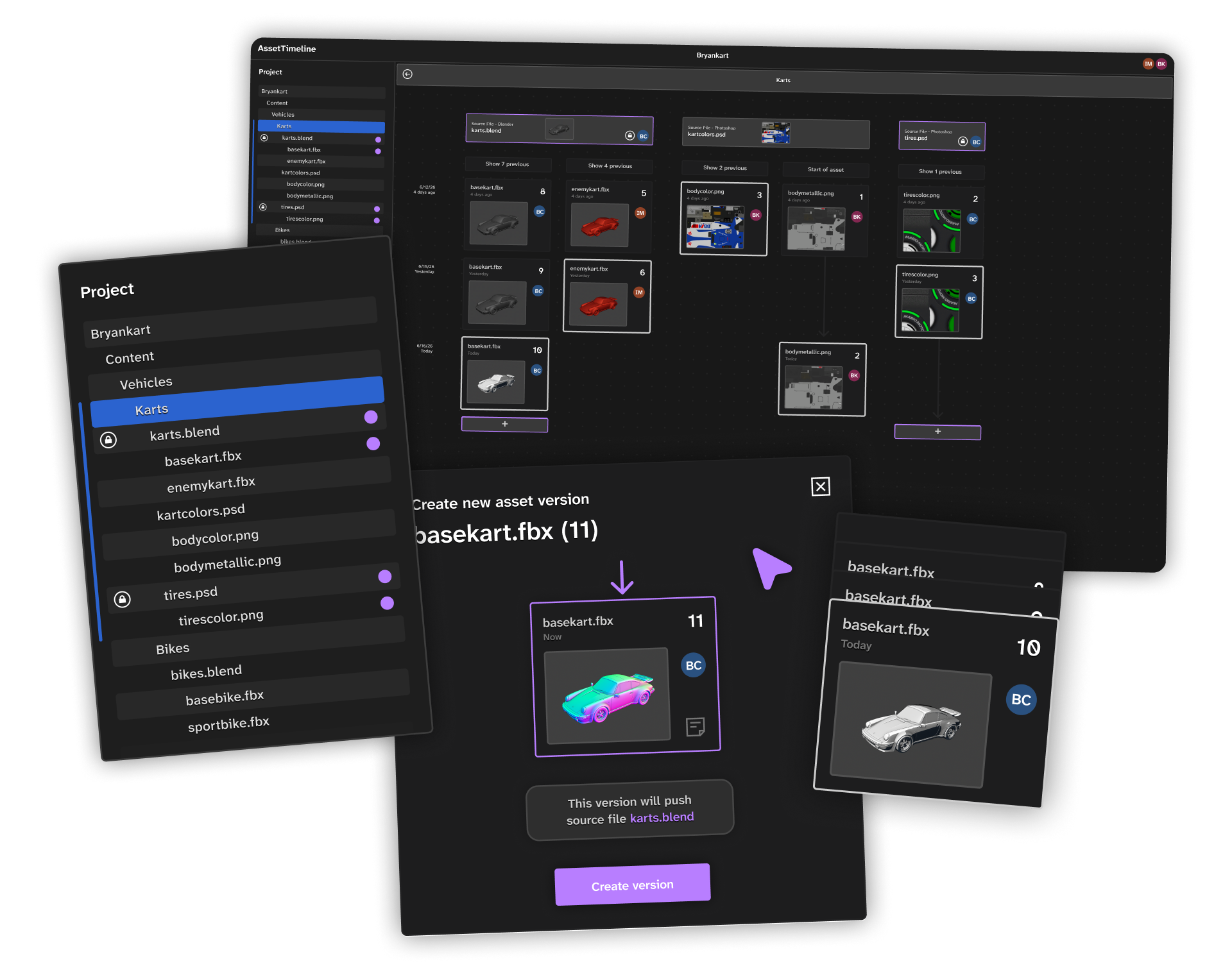
Final pages and product mockups
User Research
I started this study with significant research with past art team members as well as other artists working on game projects:
I knew my workflow and its shortcomings well but wanted to see which problems were universal, and which were possibly quirks unique to myself.
I found a high level of disconnect between artists working on the same team, even if using the same art software. I initially aimed my solution to be a new flow for art software itself, where artists could share layers of their own work, however after receiving more feedback on issues with versioning itself, I pivoted to designing a file tracker app with greater scope.
I found a high level of disconnect between artists working on the same team, even if using the same art software. I initially aimed my solution to be a new flow for art software itself, where artists could share layers of their own work, however after receiving more feedback on issues with versioning itself, I pivoted to designing a file tracker app with greater scope.
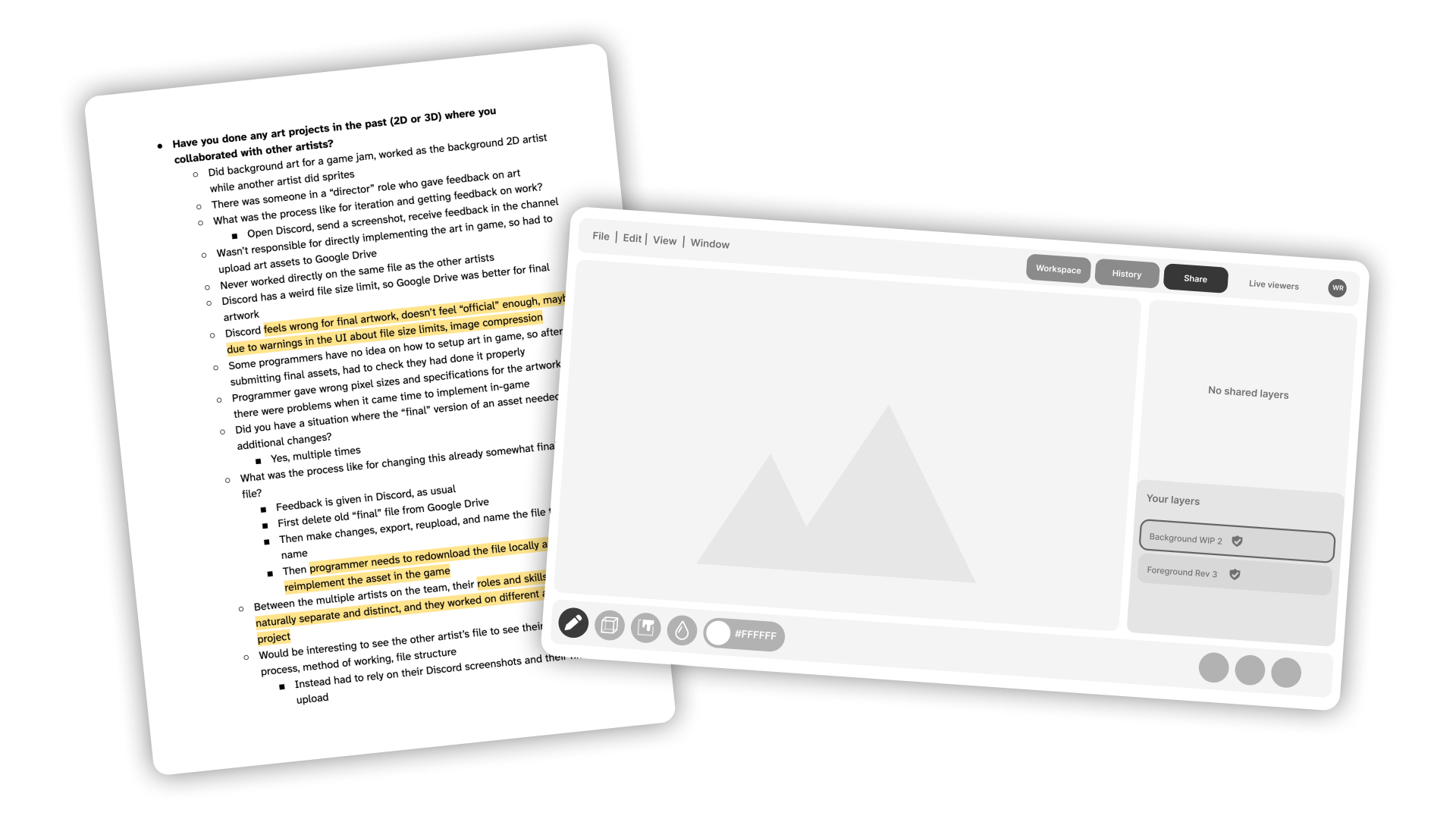
User research notes and very early wireframe for another app type
The disconnect between artists became a problem specifically when submitting work and keeping track of multiple versions of specific assets (where version control would instead show the history of the entire project).
The other main emergent problem was having to track both art source files (a Photoshop file) and game asset files (the image used in-game, exported from Photoshop).
Version control would not distinguish between these files: source files were large and cumbersome, while game asset files were the ones that needed more precise version tracking (as they actually appear in the final build).
Iteration
The overall flow stayed similar throughout iteration: first, asset files are tied to source files.
Then, versions of asset files are displayed in a vertical timeline chronologically underneath their parent source file.
This model was designed to fix my interviewees' primary issues of version control not distinguishing assets, and individual changes to files being difficult to find and track.
On my earliest version, most of those I initially interviewed said the vertical timeline layout was intuitive enough but the asset cards were too spread out. In subsequent iterations I removed the arrows between cards unless there was a significant jump in time, and tightened overall spacing to match that of a desktop app for technical users. The detailed sidebar was a compromise between wanting to keep info centered on the asset cards themselves, but needing more room to work with to display adequate info to the user.
On my earliest version, most of those I initially interviewed said the vertical timeline layout was intuitive enough but the asset cards were too spread out. In subsequent iterations I removed the arrows between cards unless there was a significant jump in time, and tightened overall spacing to match that of a desktop app for technical users. The detailed sidebar was a compromise between wanting to keep info centered on the asset cards themselves, but needing more room to work with to display adequate info to the user.
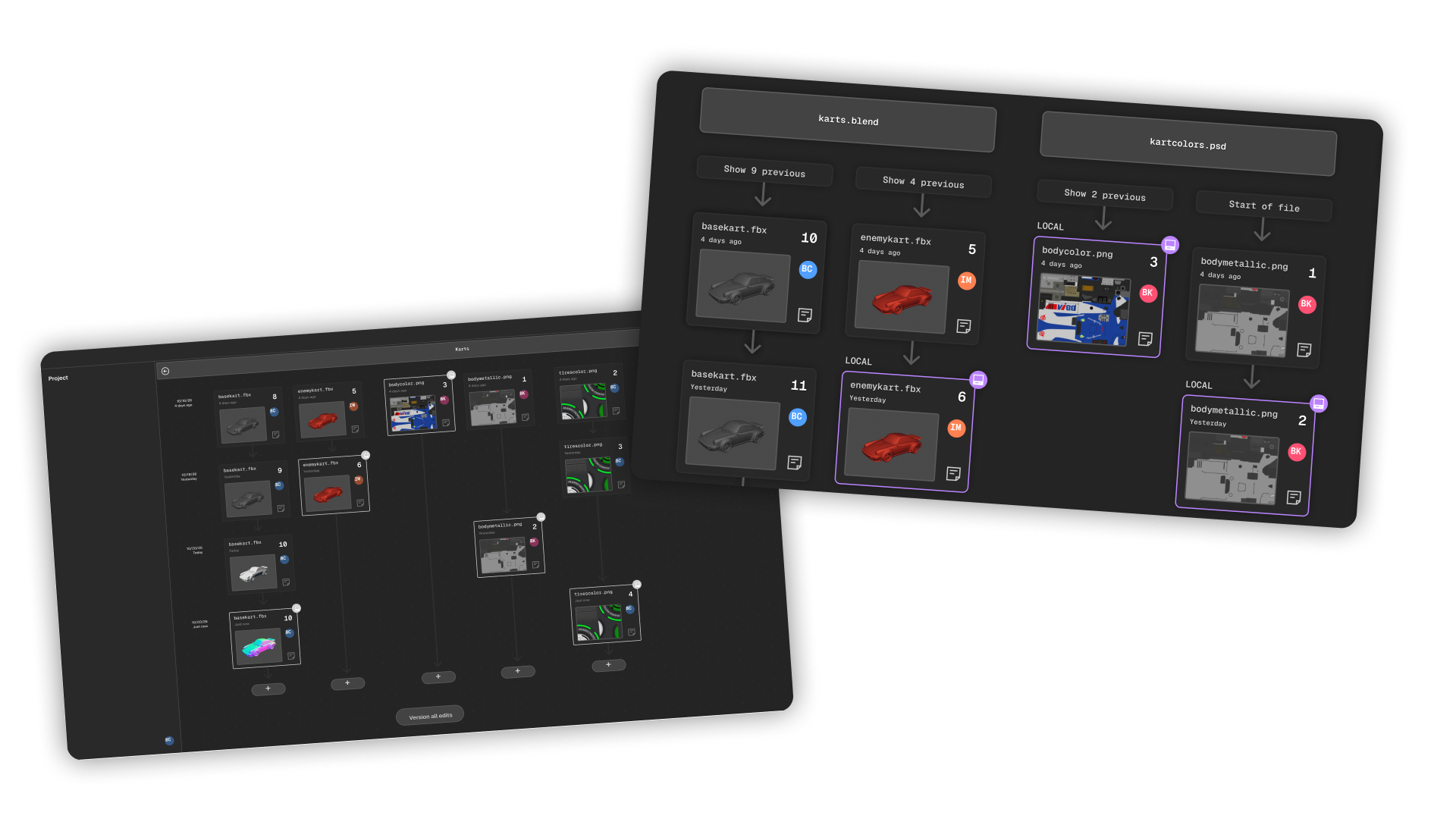
Early versions of timeline screens and asset cards
Another point of feedback was on the timeline becoming overly cluttered: with a large number of assets being tracked, the number of individual assets versus their versions became difficult to distinguish.
To solve this, I prototyped a collapsed view, which gives a better overall view of which assets end up in a build.
Finals
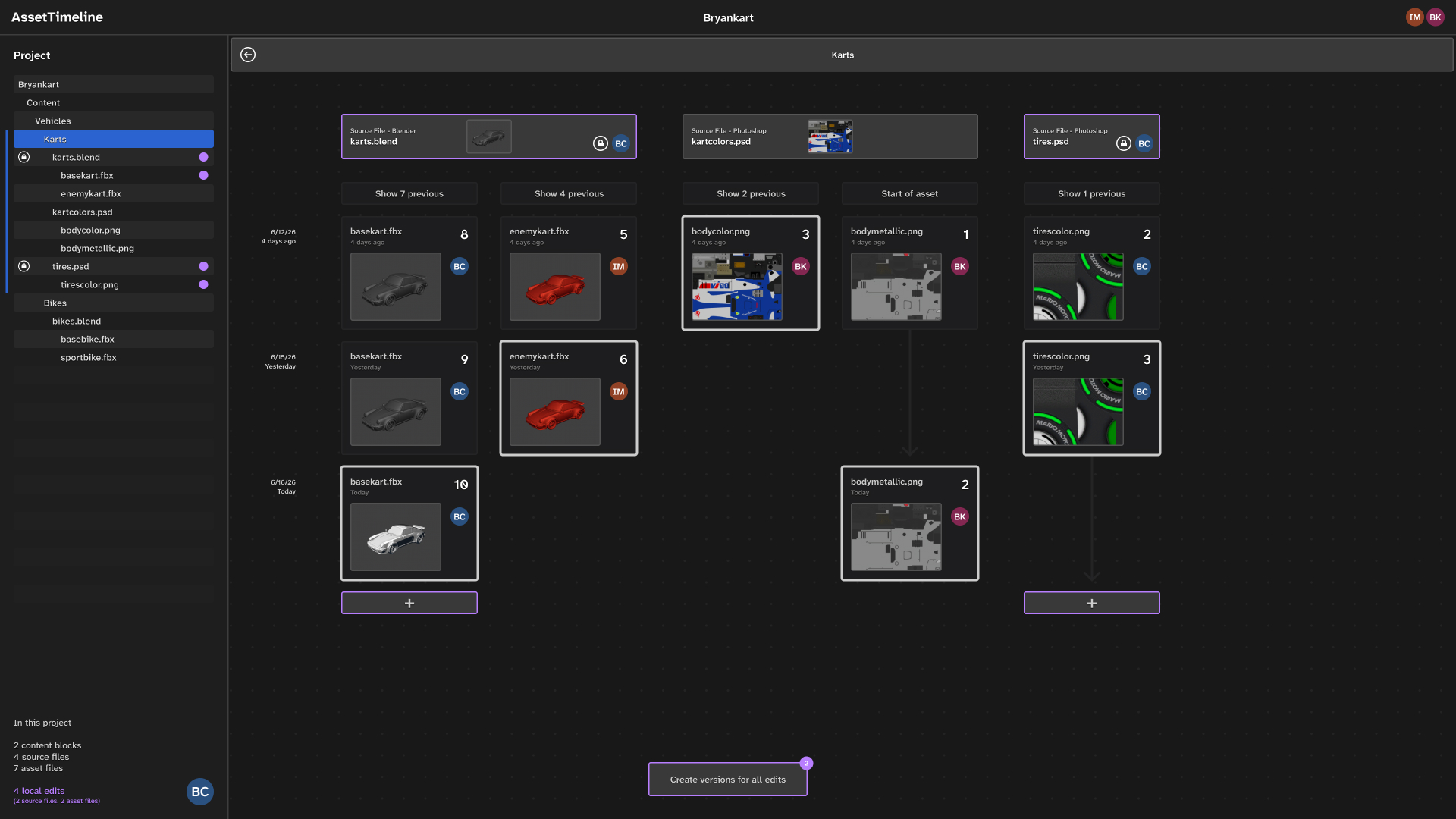
Full timeline view screen (click me to expand!)
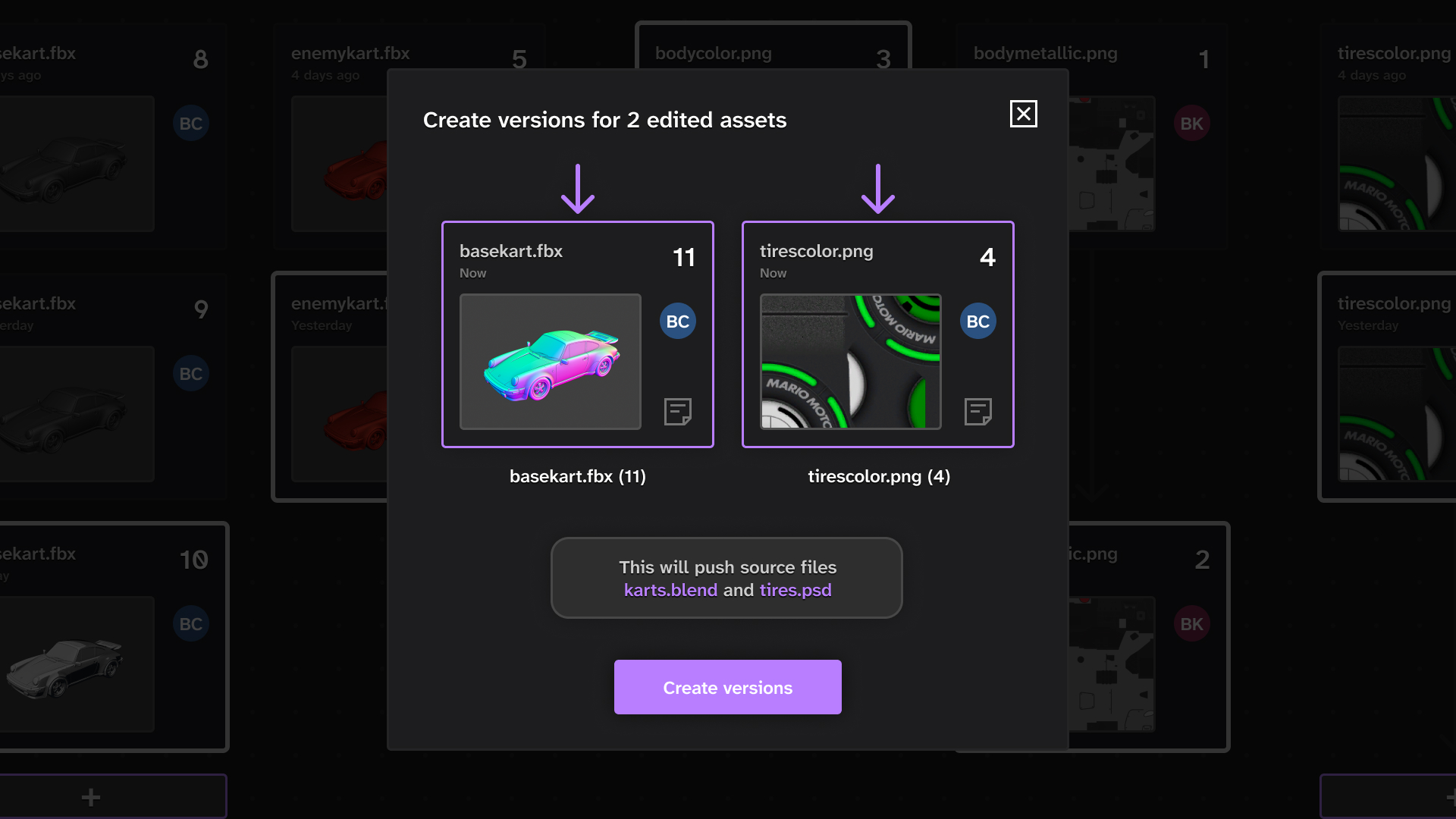
Creating multiple versions (click me to expand!)
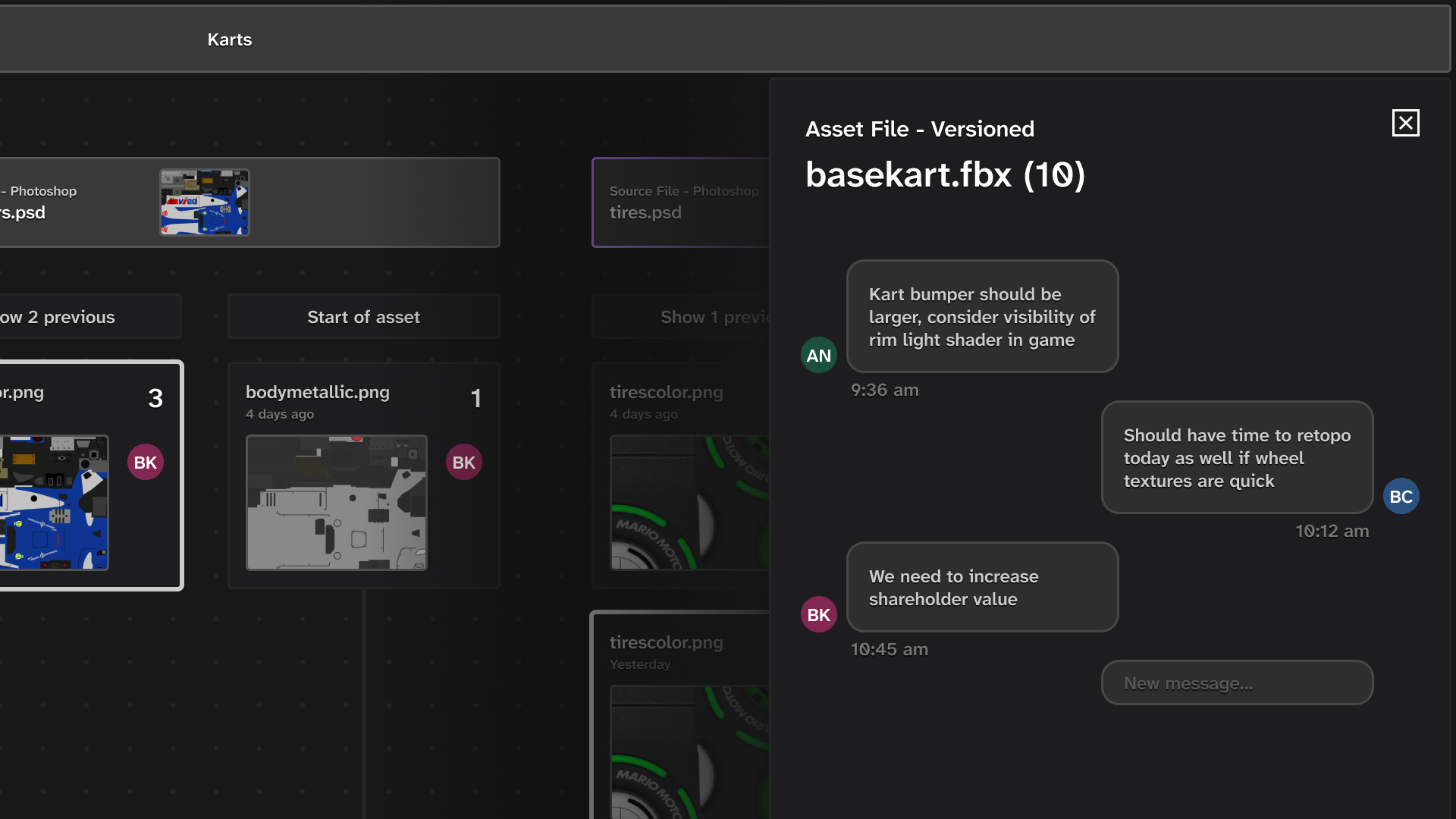
Comments on a version (click me to expand!)
In the final prototyped version, an artist can checkout a source file, then commit their newly exported asset file as a new version.
They can also comment on a version of an asset (notable distinct from commenting on the entire asset itself), see detailed version history, and view the project's timeline as a whole.
I greatly enjoyed the user research phase of this study, specifically in getting to compare my art workflow to my peers to find the common threads.